
UFCE PROFESSIONAL RECOVERY 1.0.1 STABILITY PATCH
Recover more.
Powerful. Reliable. Complete.
Recover more.
Verify what matters.
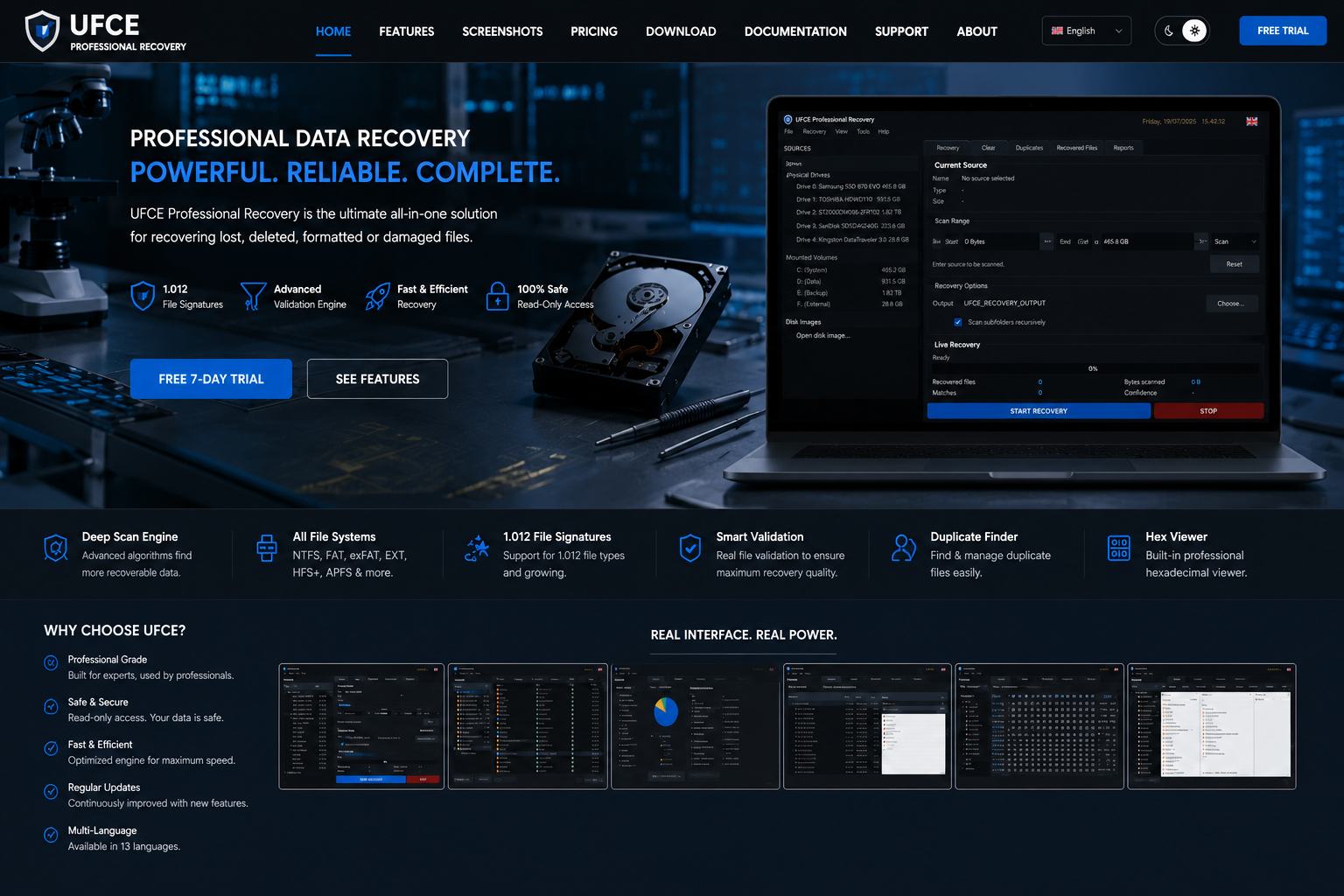
Professional signature and file-system recovery with RAID reconstruction, resumable multi-pass rescue imaging, evidence-based verification, best-copy selection, exact duplicate management, reports and hexadecimal inspection — processed locally on Windows, Linux or macOS.
1,012 Managed signatures11 Languages33/33 Verified testsLOCAL File processing
PREMIUM EXPERIENCE
Professional recovery software, presented clearly
The current build manages 1,012 signature definitions: 468 fully deterministic, 37 structure-bounded and 507 identification-only. In total, 505 definitions have a safe complete carving path.
Local processing
11 interface languages
1,0121,012 signatures
1111 languages
33/3333/33 tests
0No uploads
FEATURES
A complete recovery workflow
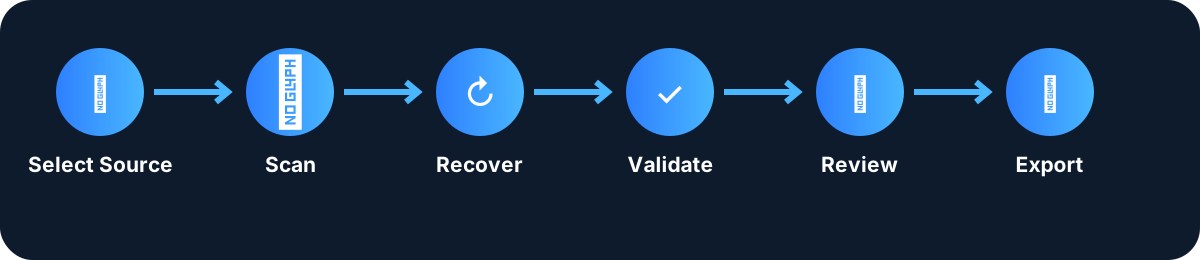
From source selection and signature carving to file-system reconstruction, virtual RAID, rescue imaging, evidence-based verification, best-copy selection, exact duplicates and translated reports.
01
Signature recovery engine
Scan files, recursive folders, mounted volumes, physical drives and disk images with 1,012 managed definitions: 468 fully deterministic, 37 structure-bounded and 507 identification-only.
02
File-system and storage reconstruction
Recover surviving names, folders, deleted trees and file extents from NTFS, FAT/exFAT, Ext, XFS, HFS+/HFSX, UFS, ISO9660 and native APFS metadata. ReFS metadata and supported platform-assisted salvage remain clearly identified.
03
Verification, best-copy and duplicates
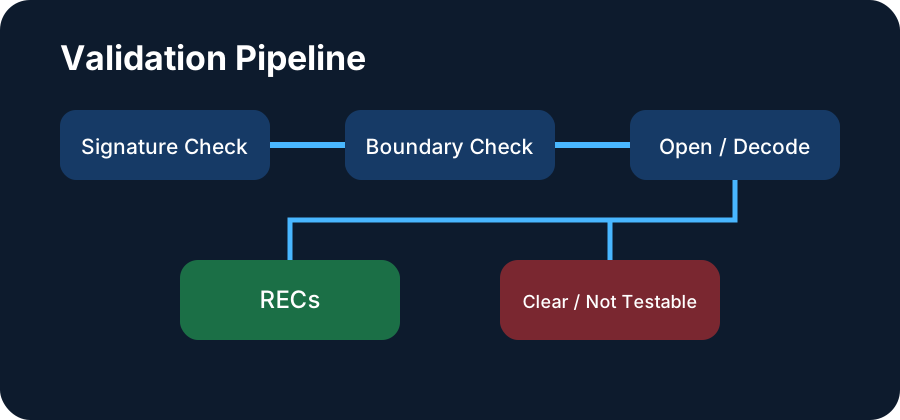
Operational validation, overwrite evidence and post-recovery SHA-256 checks rank available copies and select the best result. Exact duplicates use size, SHA-256 and byte-for-byte confirmation.
04
RAID, rescue imaging and diagnostics
Build read-only JBOD and RAID 0/1/5/6/10 sources, create resumable multi-pass rescue images, inspect Hex and translated reports, and run the included 33-gate Test Center.
REAL APPLICATION CAPTURES
Real UFCE screenshot library
Real captures from the application, organized by country and display option.
Product Tour 3.0
Interactive UFCE product tour
Select a module to follow the recovery workflow through real application screenshots.
PRIVACY
Built for privacy-conscious recovery
Local processing
Selected files remain on your computer.
Read-only source access
Recovery workflows avoid modifying the selected source.
Online sign-in required
Recovery data stays on your computer, but an Internet connection and UFCE account sign-in are required to verify the license and use the application.
Designed for Windows, Linux & macOS
Dedicated installers are available for Windows, Linux and macOS.
Internet connection and sign-in required
UFCE processes selected sources and recovered content locally. An Internet connection and UFCE account sign-in are required to verify an active license before Recovery, Clear or Duplicates can start.
Login
COMPATIBILITY CENTER
Examples of Supported Sources & File Families
Capabilities are separated into safe complete carving, structure-bounded recovery, identification-only detection, operational validation and metadata recovery.
| Category | Examples | Scan | Recover | Validate | Notes |
|---|
PRICING
Professional plans for technicians and recovery work
Trial
FREE
7 days- Complete feature evaluation
- 10 GB scan limit
- No credit card
Monthly
€12.90
per month- Professional use on client media
- Complete UFCE Professional toolkit
- 1 active device on the purchased OS
3 Months
€29.90
3 Months- Professional use on client media
- 1 active device on the purchased OS
- Best for short-term projects
Yearly
€89.90
per year- Professional use on client media
- 1 active device on the purchased OS
- Priority support
Lifetime
€179.90
one payment- 1 active device on the purchased OS
- Perpetual use of version 1.x
- All future 1.x updates
Choose one operating system when purchasing: Windows, Linux, or macOS. The licence works only on the selected operating system and permits one active device at a time. Dedicated installers are available for all three platforms.
PERFORMANCE & RELIABILITY
Designed for long recovery sessions
Local processing
Core recovery runs locally on your Windows, Linux or macOS computer.
Source-aware workflow
Folders, files, volumes, physical drives and disk images are handled through dedicated workflows.
Operational validation
Recovered files can be tested for real usability.
Detailed reports
Review recovery, validation and duplicate-processing outcomes.
CURRENT RELEASE
UFCE Professional Recovery 1.0.1
Installers are available for Windows, Linux and macOS. Choose your operating system during purchase; official account downloads open with the sales launch.
DOCUMENTATION HUB
Guides and legal information
Website documentation follows the simplified in-app Help menu, current product limitations, legal documents and the included 33-gate validation workflow.
User ManualCurrent Recovery, File System Recovery, RAID, rescue imaging, verification, Clear, Duplicates and reporting workflows
FAQSignatures, metadata recovery, licensing, privacy and practical limitations
Release NotesCurrent UFCE Professional 1.0.1 information
System RequirementsWindows, Linux and macOS requirements, permissions, memory, storage and hardware guidance
SUPPORT
Need help with UFCE?
Use the secure support form for product, account, licensing or technical questions. The support email address is not displayed publicly.
Open support formDOCUMENTATION & LEGAL